
TL;DR:
- On Chromium-based browsers like Edge and Chrome, press Ctrl+Shift+A.
- On Firefox, press Ctrl+L (or Alt+D) to focus on the address bar, then type % and then tap the Spacebar.
I have a lot of browser tabs open all the time, sometimes going to a hundred or more, and it’s often not very easy to find the tab that I am looking for. Thankfully, modern browsers support searching your open (and recently closed) tabs, and have very handy shortcuts to open tab-search.
Chromium-based browsers like Edge and Chrome
Press Ctrl+Shift+A to open tab-search. See documentation.

Firefox
Press Ctrl+L (or Alt+D) to focus on the address bar, then type % and then tap the Spacebar to search tabs. See documentation.
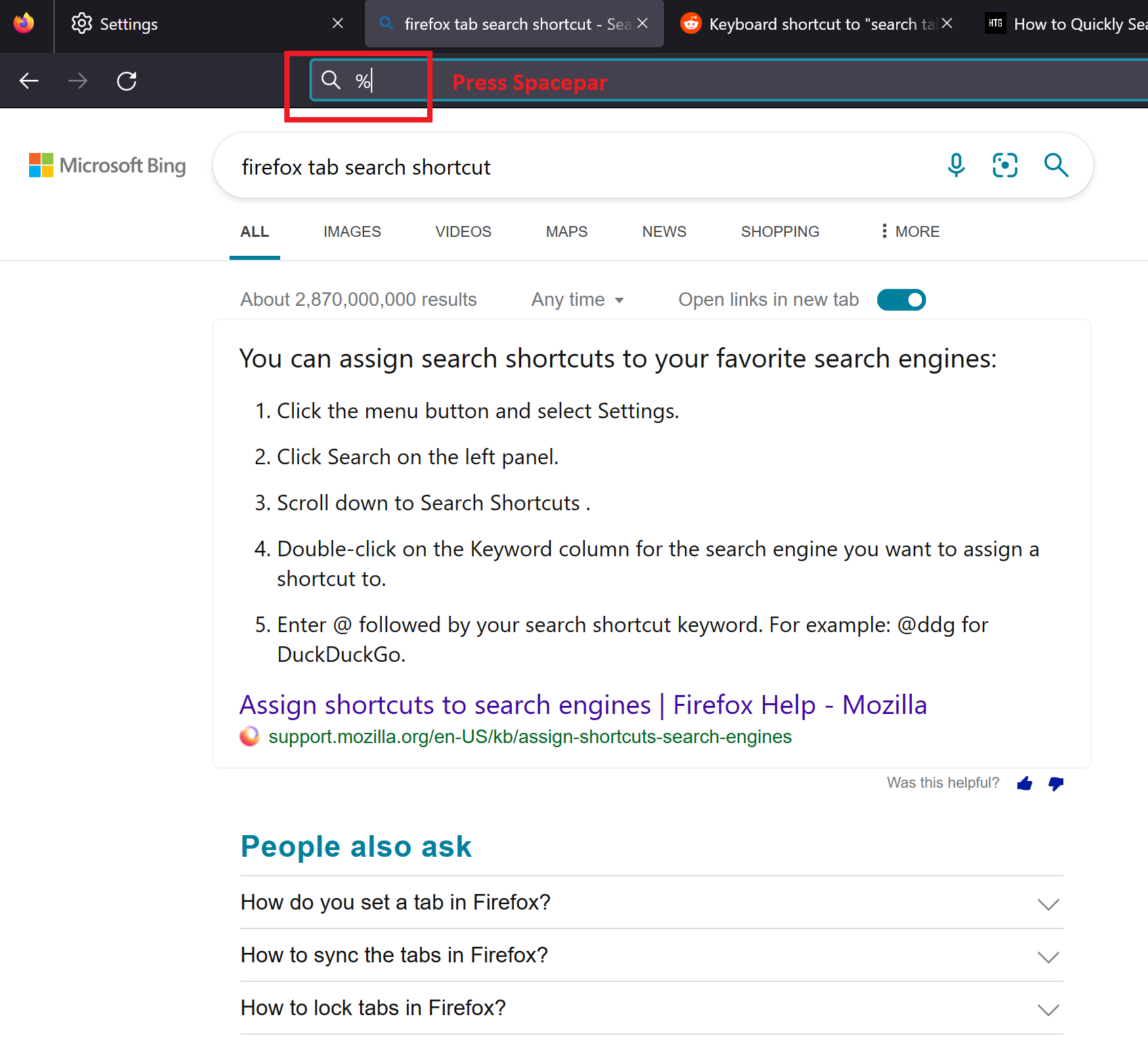
That would switch the address bar to tab-search:

Give it a try!
 Sachin Joseph